
RIA Billing Software From Fee Schedules to Reporting
Configure AUM, flat, tiered, and subscription fees; assign them at the client level; collect by ACH, card, or investment account; and give admins reporting by advisor, payment rail, and fee type.
Trusted by advisory firms across North America
















Billing Breaks When It Lives in Three Tools
AUM fees in one system, flat fees in another, invoices in a spreadsheet. Reconciliation eats hours every billing cycle.
Most firms use one system for percentage-based billing and another for flat or subscription fees. That split means duplicate setup, fragmented reporting, and manual reconciliation every billing cycle.
Finance teams generate invoices in one tool, track payment status in another, and explain fee changes from a spreadsheet. Every handoff makes client billing questions slower to answer.
Leadership needs to see what was billed, what was collected, which advisors produced it, which payment rail was used, and which fee types are driving revenue.
How Financial Advisor Billing Software Works
Set fee schedules, assign them to clients, collect by ACH, card, or investment account, and report across the firm
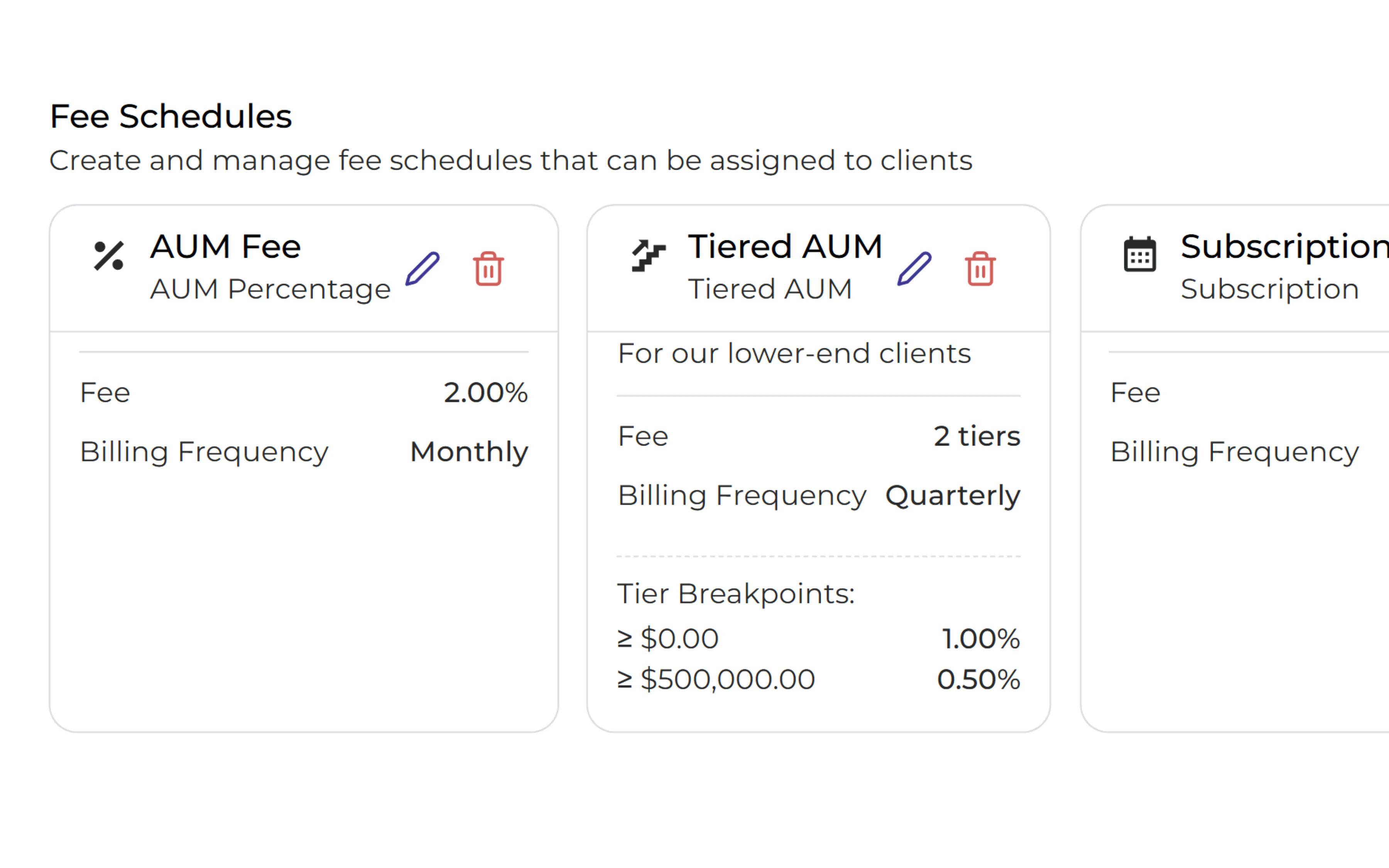
Create Fee Schedules for ACH, Card, or Investment Account Collection
Configure AUM, flat, tiered, and subscription fees in one billing layer. Choose ACH, card, or investment account collection when the fee is assigned, so payment preference does not create another operations path.
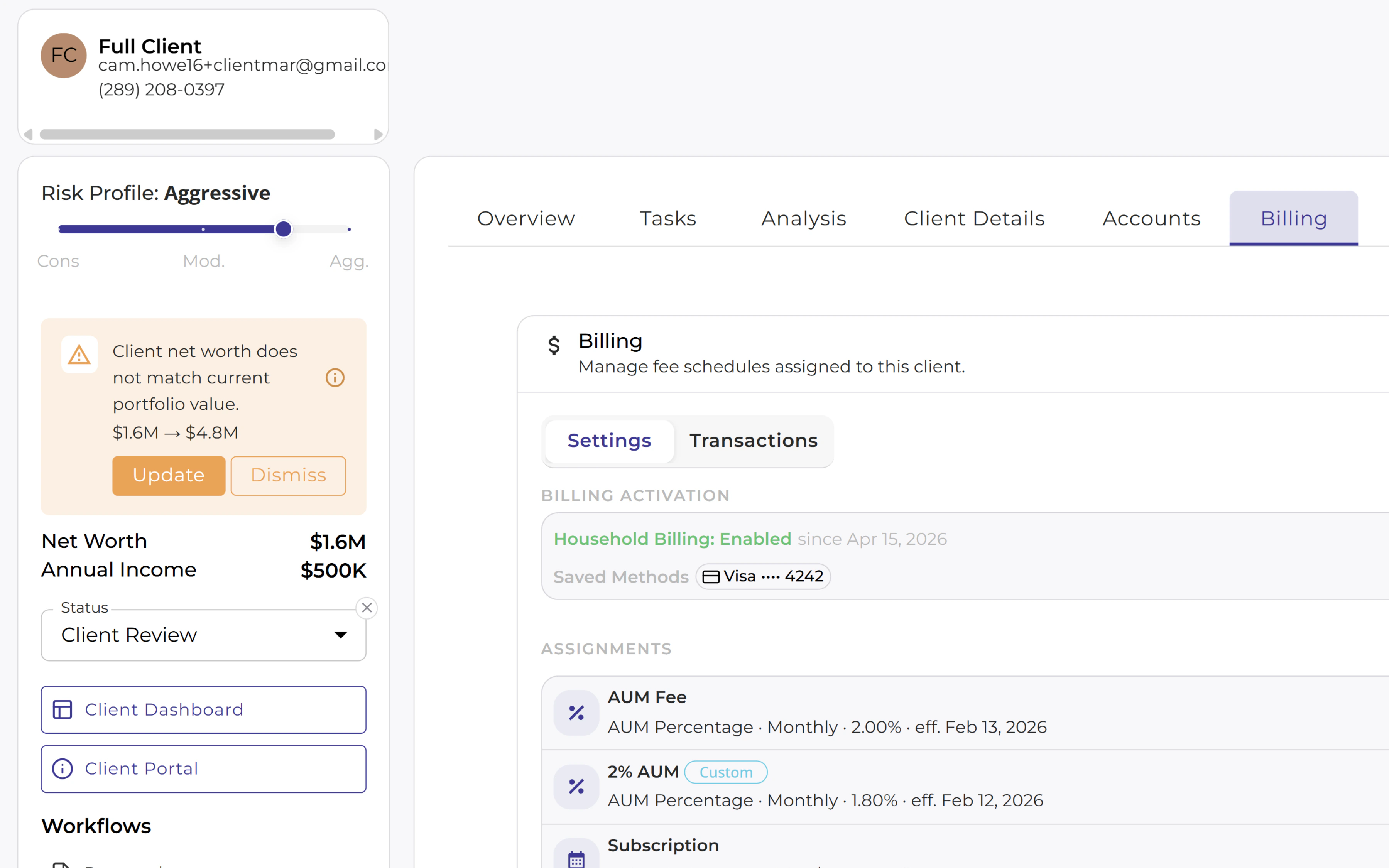
Assign Billing at the Client Level
Add the right fee schedule to the household, see active billing methods, and keep billing settings next to the client record. Advisors can answer how a client is billed without leaving the workflow.
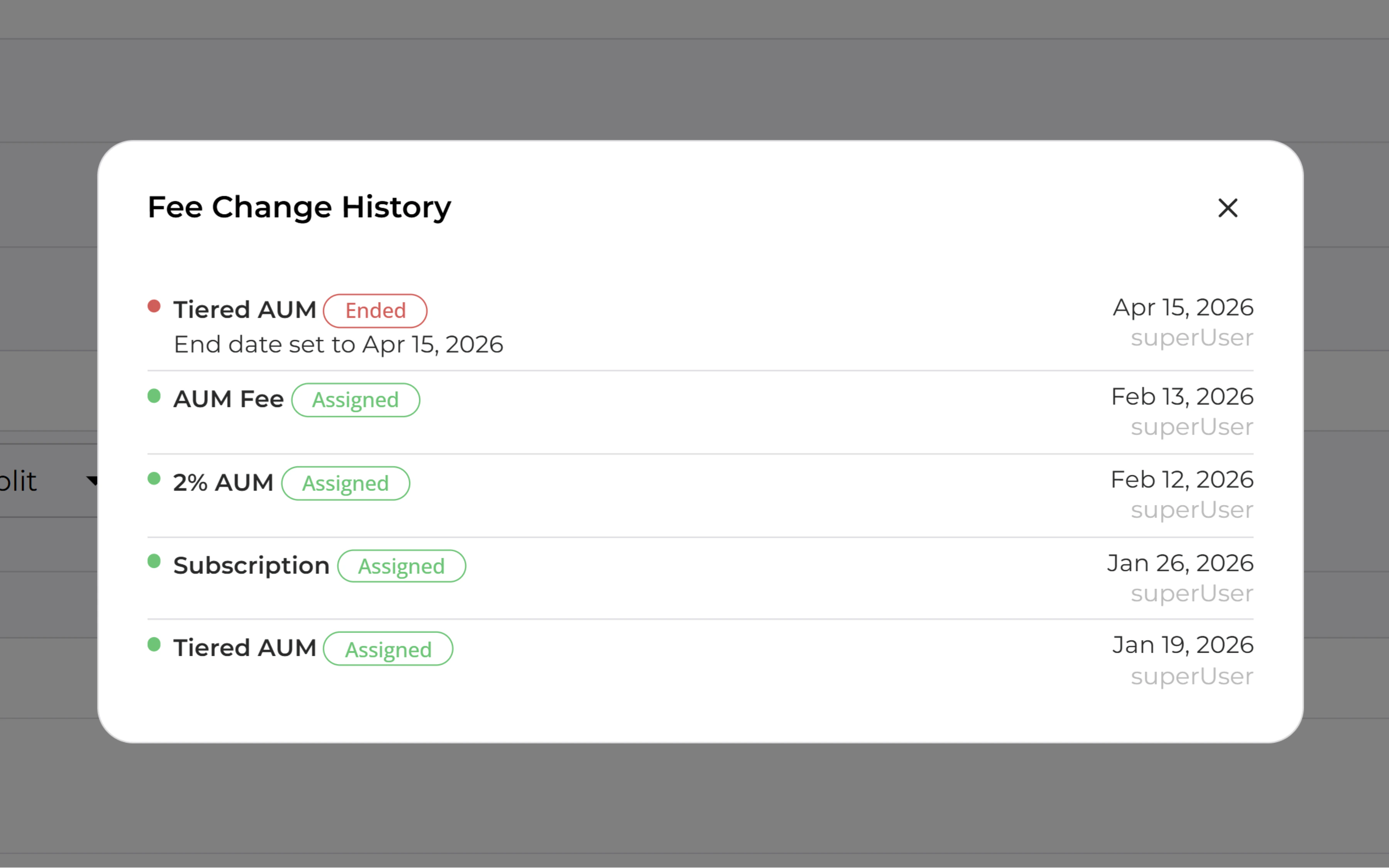
View Client Billing History
Open a client record to see which fee schedules were assigned or ended, the effective date, and who made the change. Advisors and operations teams can answer billing questions without digging through disconnected systems.
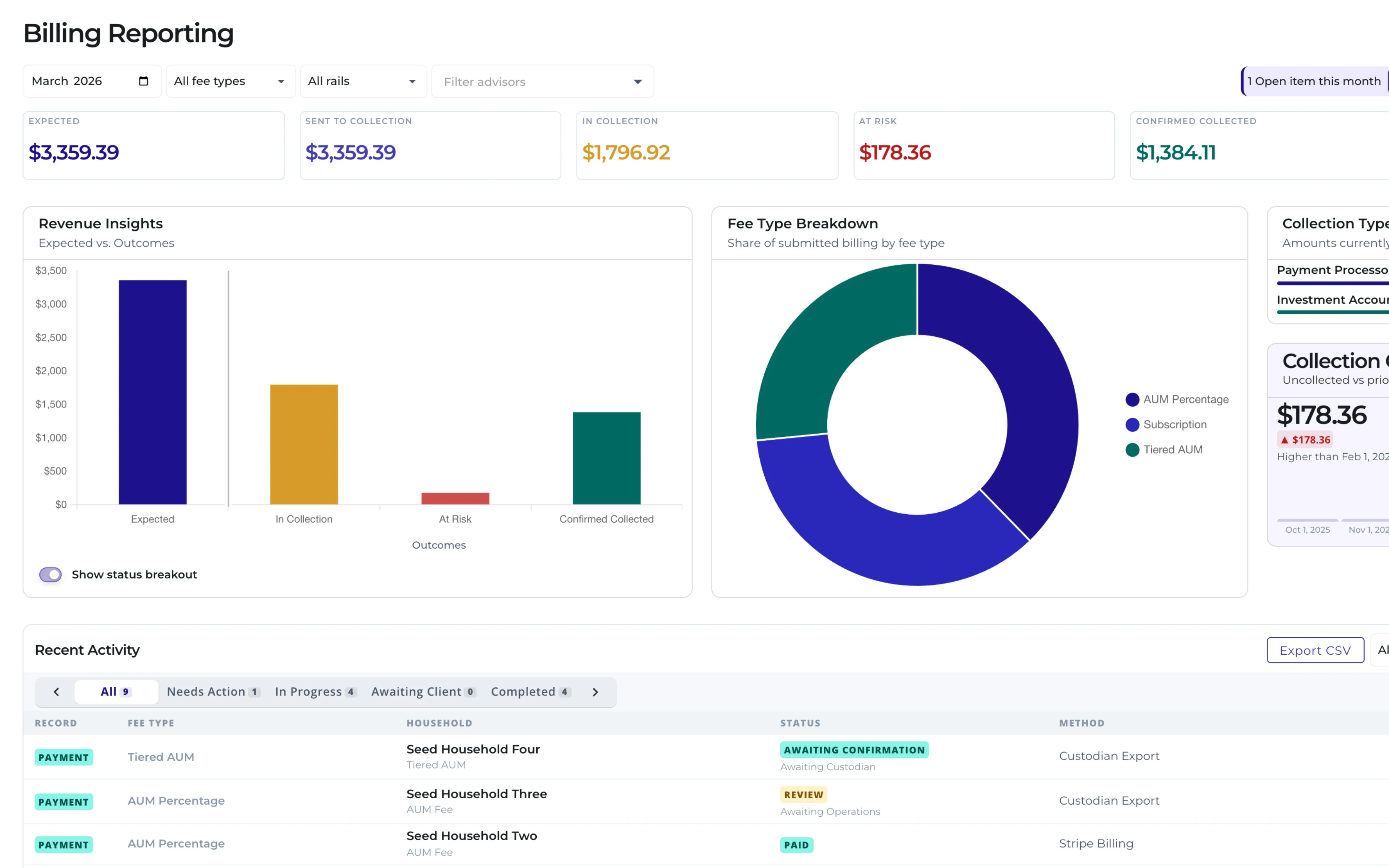
Report on Billing Across the Firm
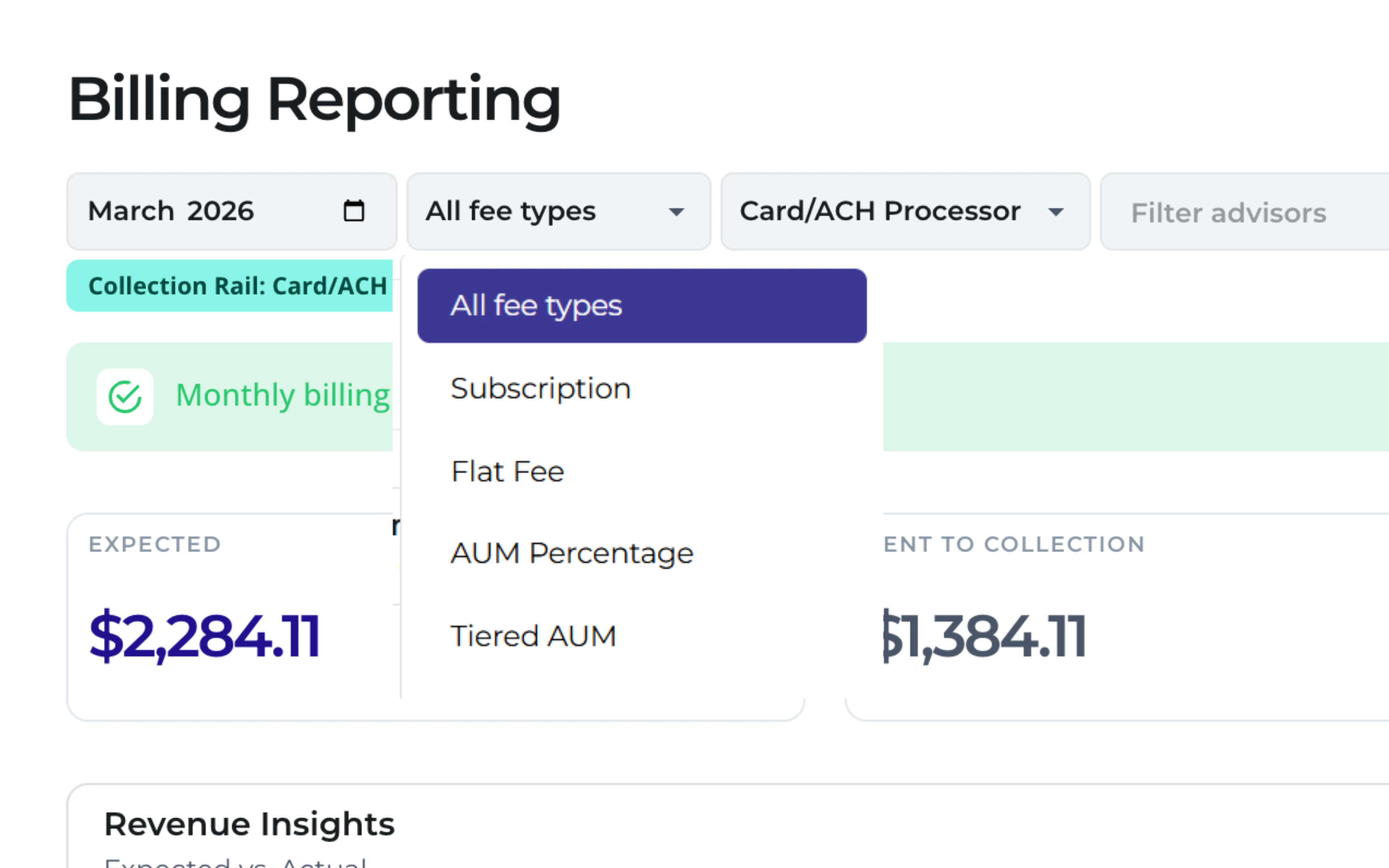
Track expected revenue, sent-to-collection totals, collected payments, outstanding balances, advisor production, ACH, card, and investment account collections, and fee type breakdowns from one billing reporting view.
Trusted by financial advisors
See how practices are transforming their workflows
"We're deeply committed to integrating cutting-edge technology to transform the financial planning landscape. Investipal's innovative approach aligns perfectly with our vision, particularly in utilizing OCR technology to streamline processes and elevate the client and advisor experience."
ProsperPlan Wealth
"Investipal has completely transformed how we approach client onboarding and portfolio management. The AI-powered tools save us countless hours while delivering better outcomes for our clients."
Pacific Portfolio Advisors
"Investipal has been a game-changer for our firm. It really had become an efficiency multiplier for our assistants and back office. It's an indispensable tool for any advisory firm looking to thrive in today's competitive market."
William Joseph Capital Management
Frequently asked questions
Common questions answered
What is RIA billing software?
RIA billing software helps advisory firms configure fee schedules, assign billing at the client or household level, collect payments, track billing history, and report on revenue across advisors and fee types.
What fee structures does Billing & Payments support?
AUM-based fees, flat fees, and tiered fee schedules. The billing model can match each client relationship without managing separate systems for each revenue type.
Are separate tools needed for AUM billing and subscription billing?
No. Both AUM-based and subscription-style billing run in one system, eliminating duplicate setup and fragmented reporting.
Can fee schedules be configured per client or household?
Yes. Create fee schedules once and assign them at the client level to support different billing arrangements across households and service tiers.
What payment methods are supported?
Clients can pay by ACH bank transfer, card, or investment account, so firms can support multiple payment preferences without a separate collections product.
Can teams review billing history by client?
Yes. Client billing records show assigned fee schedules, changes over time, effective dates, and related billing activity so advisors and operations teams can answer client questions quickly.
What billing reports are available for admins?
Admins can report on expected revenue, sent-to-collection totals, collected payments, outstanding balances, advisor production, ACH, card, and investment account collections, and fee type breakdowns.
See Billing & Payments in Action
See how Investipal handles fee schedules, client billing assignments, ACH, card, or investment account collection, billing history, and admin reporting in one workflow.